This Q3 recap brings together the latest product updates from July, August, and September. Whether you’re managing access with Custom Roles, setting document retention, connecting to tools like Salesforce, Google, and Microsoft, or building workflows with Saved Drafts and Merge Routing, these updates help you build repeatable workflows with less manual work.
Reminder: Subscribe to receive release notes as soon as they are published. Simply click on “Follow” in the new release notes section of the Formstack Help Center and Intellistack Streamline Help Center.
Access and governance
Give admins finer control over access with Custom Roles in Intellistack Streamline. Admins can build named roles from the platform’s existing permissions instead of choosing from four fixed presets. Match access to how your team actually works, whether that’s an intake specialist who captures data but can’t edit workflows or a brand manager who handles domains but not account security. Duplicate an existing role to start, or build one from scratch.
Track workflow sessions more easily with Session Identifier. Label sessions with data like an employee’s name, email address, or department instead of relying only on a system generated ID. Session names stay masked by default and only appear for users with View data permission on that project. When someone reveals a session name, Intellistack Streamline logs the user, timestamp, and affected session.
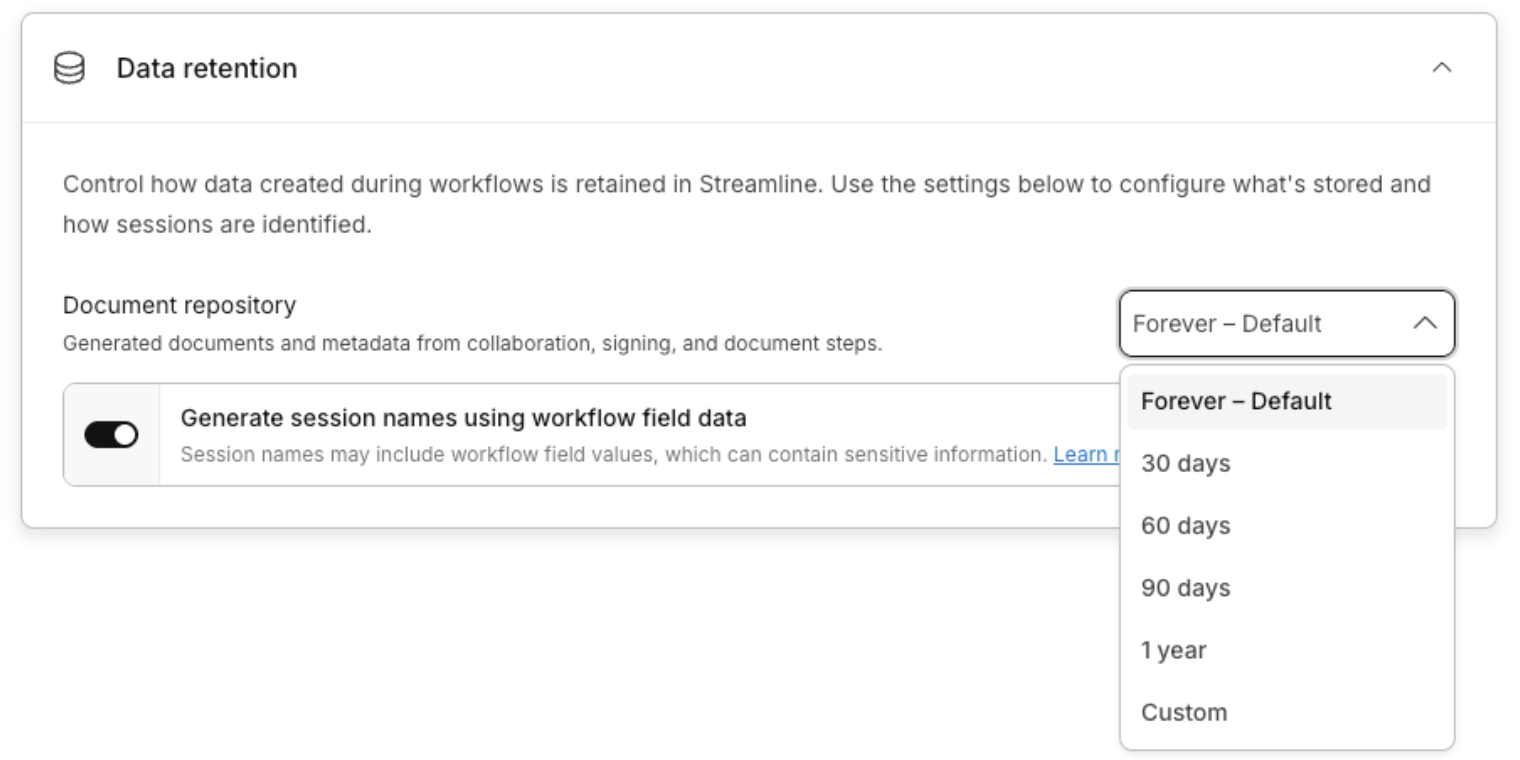
Set an org-wide retention period with configurable data retention in the Intellistack Streamline Document Repository. Documents are purged automatically when the period ends, and every stored document shows a clear expiration date. Legal, procurement, and IT teams get a documented, enforceable retention policy instead of indefinite storage.
Connected workflows
Connect the Google apps your team already uses with new Google BigQuery, Drive, Sheets, and Calendar integrations. A request can pull existing context from BigQuery, file its supporting document in the right Drive folder, add itself to a Sheets tracker, and schedule a follow-up in Calendar, all without anyone moving information between systems by hand.
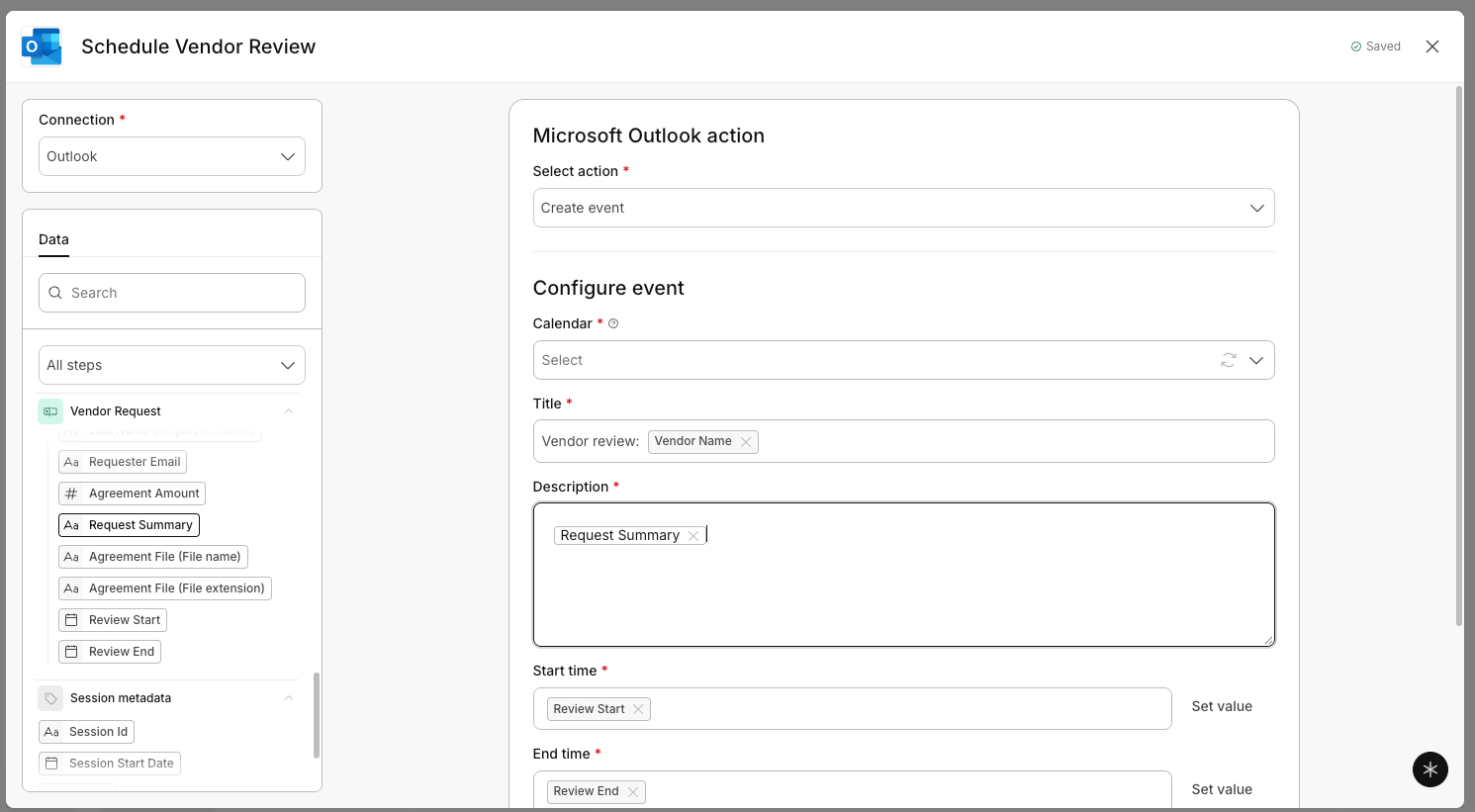
Bring your Microsoft tools into the same workflow with new Microsoft Dataverse, SharePoint, OneDrive, Outlook, and Teams integrations. A request can pull or update a vendor record in Dataverse, file an agreement in SharePoint or OneDrive, schedule a review in Outlook, and notify the team in Teams, all without anyone re-entering the same information twice.
Let portal users complete workflows without leaving Salesforce by embedding Intellistack Streamline workflows in Salesforce Experience Cloud. Fields are prefilled using their Salesforce information through the Salesforce Data Source connection.
Keep users moving to the next step with Outbound Webhook redirects in Intellistack Streamline. After a webhook step runs, builders can send someone straight into a new Intellistack Streamline session, route them to an external page to complete a payment, or hand them off to any corporate website. The handoff happens automatically, so processes keep moving without users having to find the next step on their own.
Workflow Build Enhancements
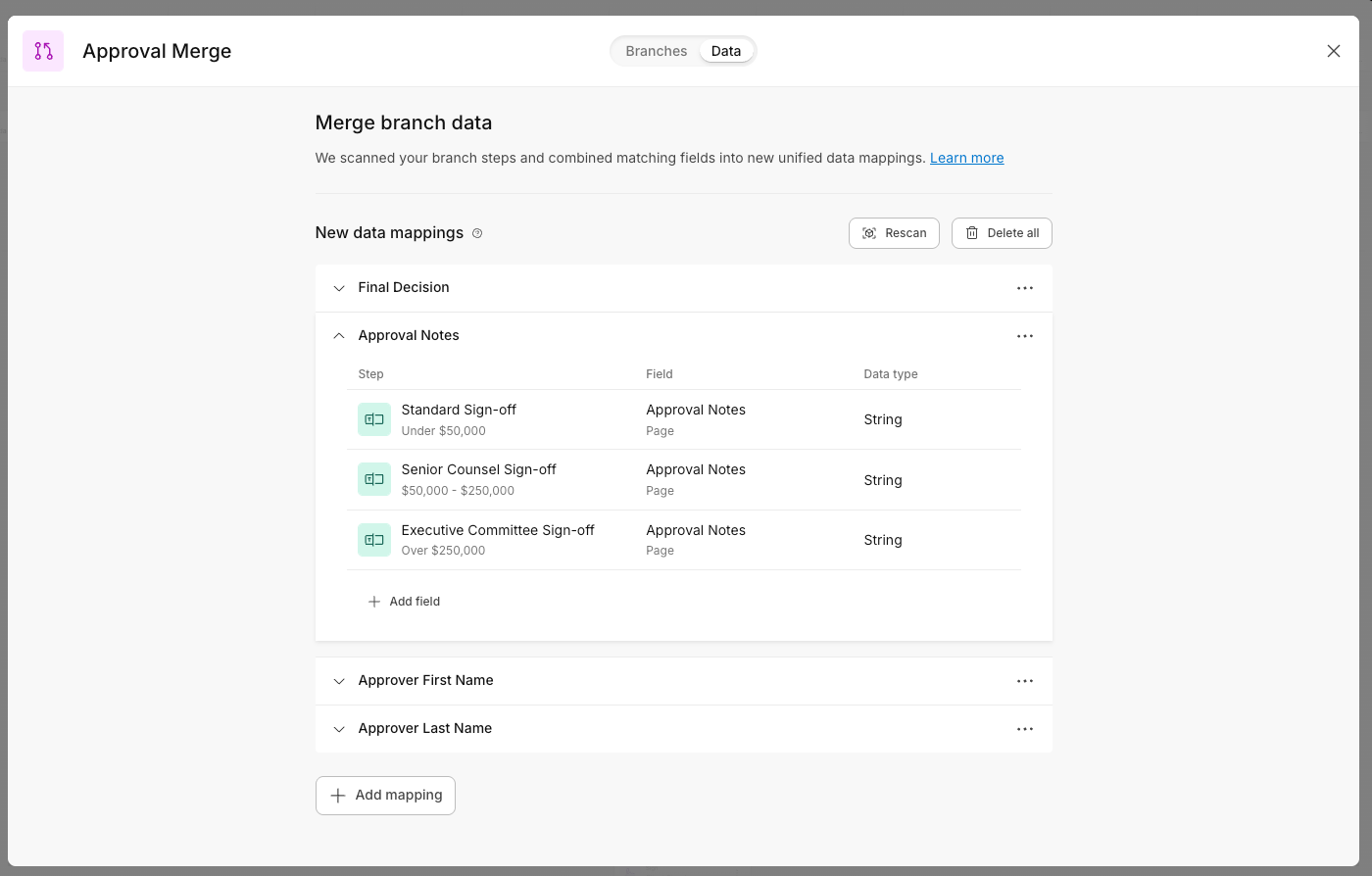
Reduce duplicate work in branching workflows with Merge Routing. Workflows that branch by deal value, region, or risk level often repeat the same steps in every branch. With Merge Routing, separate approval paths can reconnect into one shared workflow. Configure the steps that follow approval, like preparing documents, collecting signatures, or sending notifications, once, and every branch uses the same shared sequence.
Try bolder changes with Saved Drafts. Workflow builders can save any version of a workflow as a checkpoint to return to later. A side-by-side comparison shows exactly what changed before anything goes live, so a trusted version is always one click away.
Send pre-validated documents straight to signers with Skip Draft Status on Collaboration steps. Steps can now start at Version 1 instead of Draft, so documents go directly to the external party without an owner click-through every session. Internal collaborators stay on the session, and the owner is still notified once it begins. High-volume deal rooms can open many parallel buyer sessions at once without clearing Draft status on each one.
Make shared tasks easier to manage with Workspace task management updates. Group members can preview shared tasks before claiming them, take ownership when they’re ready, and keep claimed work visible so teammates know who is responsible. Reassignment, resend, and group assignment options are available for every assignment type, along with bulk actions and claim-based filters to keep work moving when priorities or availability change.
Q3 2026 Release Notes
Continue exploring this quarter’s updates for Formstack products and Intellistack Streamline by reading the full release notes below. You can also view full release notes from previous months in the release notes section of the Formstack Help Center and Intellistack Streamline Help Center.